AI Risk Register Template (Excel): How to Track and Score AI Risks

Ask most teams two simple questions and the room goes quiet: “Which AI tools are we using?” and “What could go wrong with each one?” An AI risk register answers both. It is a single working list of your AI systems, the risks each one creates, who owns them and what you are doing about them.
This guide explains what an AI risk register is, the columns it needs, how to score risks without overthinking it, and how to set one up in Excel in an afternoon with a ready-made template.
What is an AI risk register?
A risk register is a table where every row is one risk. An AI risk register does the same job for AI: it records risks such as data leakage, hallucinated answers, biased outputs, unclear vendor terms or an AI agent with more access than it needs. Each risk is tied to a specific AI system, scored, given an owner and linked to the controls that reduce it.
It sits alongside an AI inventory, which is the list of AI systems themselves. The inventory tells you what you have. The register tells you what could go wrong with it and what you are doing about it.
Why a small team needs one
- Customers and auditors are asking. Security questionnaires increasingly ask how you identify and manage AI risk. A current register is an easy, honest answer.
- AI shows up quietly. Staff sign up for new tools and existing software adds AI features in updates. A register gives you one place to catch them.
- It turns worry into a to-do list. Instead of a vague sense that “AI is risky,” you get named risks, owners and due dates.
- It shows progress. Comparing risk before and after controls shows leadership that the work is paying off.
Start with an AI inventory
You can’t score the risk of a tool you don’t know about. Before you write a single risk, list every AI system in use. For each one, capture:
- What it is for and who owns it
- What kind of data it touches, and whether that includes personal data
- Whether customers see its output
- Whether it influences decisions about people, such as hiring or credit
- A simple High, Medium or Low risk tier based on those answers
A short intake form makes this easier to keep up. The free AI Use Case Intake Form lets anyone propose a new AI use and records the governance decision, conditions and a review date, so new tools land in the inventory from day one.
The columns every AI risk register needs
- Risk ID and description: a short, specific statement, for example “Support chatbot gives customers wrong refund terms.”
- Linked AI system: which inventory item the risk belongs to.
- Category: data leakage, accuracy, bias, vendor, security, IP, legal or operational.
- Inherent likelihood and impact: how likely and how bad, before any controls.
- Controls: what you have in place or plan to add.
- Residual likelihood and impact: the score after controls.
- Treatment: reduce, accept, transfer or avoid.
- Owner, due date and status: so every risk has a name and a deadline.
How to score AI risks simply
Use a likelihood times impact method on a 1 to 5 scale for each. Multiply them for a score from 1 to 25, then group scores into bands such as Low, Medium, High and Critical. Score each risk twice, once before controls (inherent) and once after (residual). The gap between the two shows how much your controls are really helping.
Don’t chase precision. The goal is to rank risks consistently so you work on the biggest ones first, not to produce a perfect number.
Common AI risks to log first
- Staff pasting confidential or customer data into public AI tools
- AI outputs that are wrong but sound confident
- Biased results in anything that affects people
- Vendor terms that allow your data to train their models
- AI agents with broad permissions in your systems
- Unclear ownership of AI-generated content
- Missing disclosure when customers interact with AI
- “Shadow AI” tools nobody approved
Mapping to NIST AI RMF and ISO/IEC 42001
If customers mention the NIST AI Risk Management Framework or ISO/IEC 42001, a register is a natural place to start. Tagging each risk and control with the NIST AI RMF functions (Govern, Map, Measure and Manage) helps you organize the work and talk about it in familiar terms. Treat this as a navigation aid. A spreadsheet on its own does not make you conformant or certified.
Set it up in an afternoon with a ready-made template
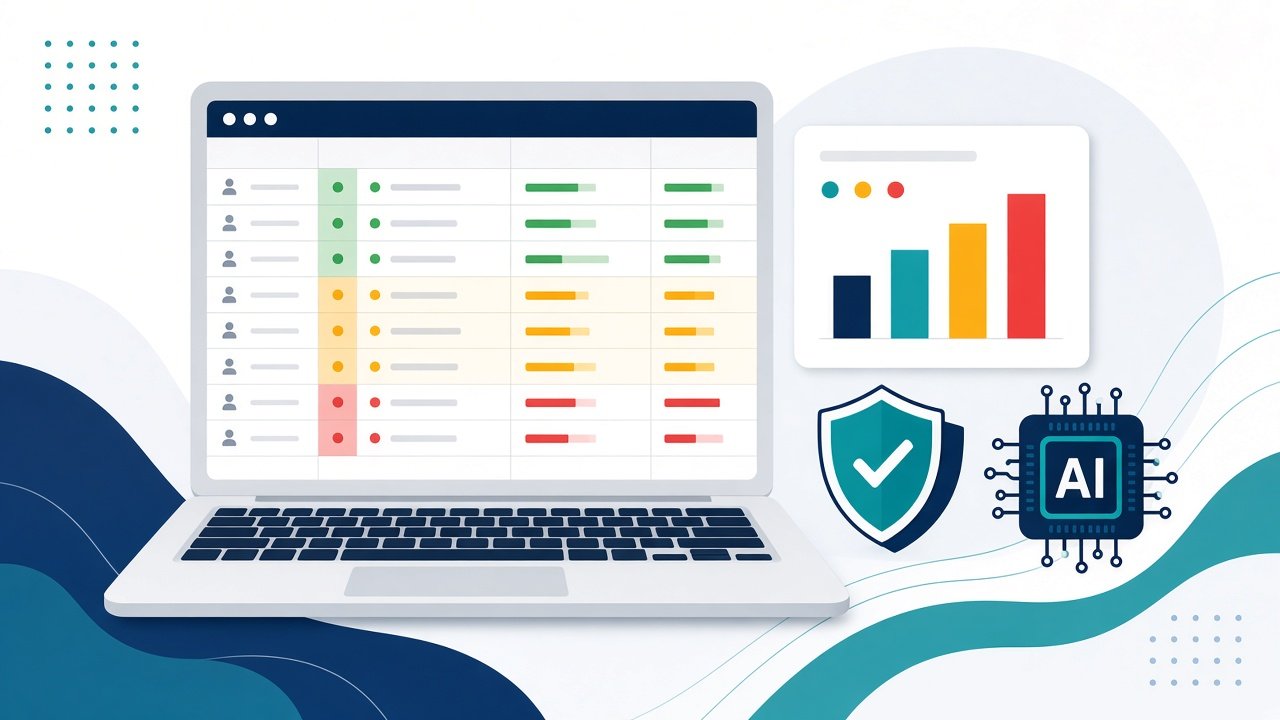
You don’t need to build the formulas yourself. The AI Risk Register and AI Inventory Workbook is a 7-tab Excel template for $59 one-time. It includes an AI inventory with an automatic High, Medium or Low tier, a 100-row risk register with dropdowns, inherent and residual scoring, rating bands, owners, due dates and an overdue flag, a controls and treatment tracker, and a dashboard with top-5 residual risks and charts. It comes with 10 example risks and 10 example controls covering data leakage, hallucination, bias, vendor terms, agent permissions, IP, disclosure, regulatory change, outages and shadow AI. Columns map loosely to NIST AI RMF functions and general ISO/IEC 42001 areas, and it works in Excel, Google Sheets and LibreOffice.
If you need the full starting set, the AI Governance Starter Kit ($99) bundles the risk register with an AI acceptable use policy, governance charter, system inventory, roles and RACI, an intake and approval workflow, a 30-60-90 day roadmap and a board briefing one-pager.
Free tools to pair with your register
- Free AI Governance 30-Day Starter Checklist to plan your first month.
- Free AI Risk Executive Briefing One-Pager to share your top risks with leadership.
Your register works best next to a clear staff policy and a vendor review process. See our guides to an AI acceptable use policy template for small business and an AI vendor risk assessment questionnaire.
Keep it alive
- Add new AI tools to the inventory as soon as they are approved.
- Review open risks at a short monthly meeting.
- Re-score residual risk when a control changes.
- Close risks you have treated and note why.
- Share the top five with leadership each quarter.
Build your AI risk register this week
Pick the three AI tools your team uses most and log one risk for each today. Get the AI Risk Register and AI Inventory Workbook to start with the scoring, dropdowns and dashboard already built, or browse more templates in the cyhornet.ai marketplace.
General information only, not legal advice. Templates do not guarantee compliance with any law or standard.
Frequently asked questions
What is an AI risk register?
It is a table that lists each risk created by your AI systems, scores it by likelihood and impact, names an owner and records the controls that reduce it.
What is the difference between an AI inventory and an AI risk register?
The AI inventory lists the AI systems you use. The risk register lists what could go wrong with each system and what you are doing about it. They work best together.
How do you score AI risks?
A simple method scores likelihood and impact from 1 to 5 each and multiplies them. Score each risk before controls (inherent) and after controls (residual) to see how much the controls help.
Does an AI risk register make us NIST AI RMF or ISO 42001 compliant?
No. Mapping risks and controls to NIST AI RMF functions or ISO/IEC 42001 areas helps you organize the work, but a template alone does not provide conformity or certification.
Can I use the AI Risk Register template in Google Sheets?
Yes. The AI Risk Register and AI Inventory Workbook is built for Microsoft Excel 2016 or later and also works in Google Sheets and LibreOffice.