
All-in-One AI Image and Video Generator: Create Images, Videos and Avatars in One Place

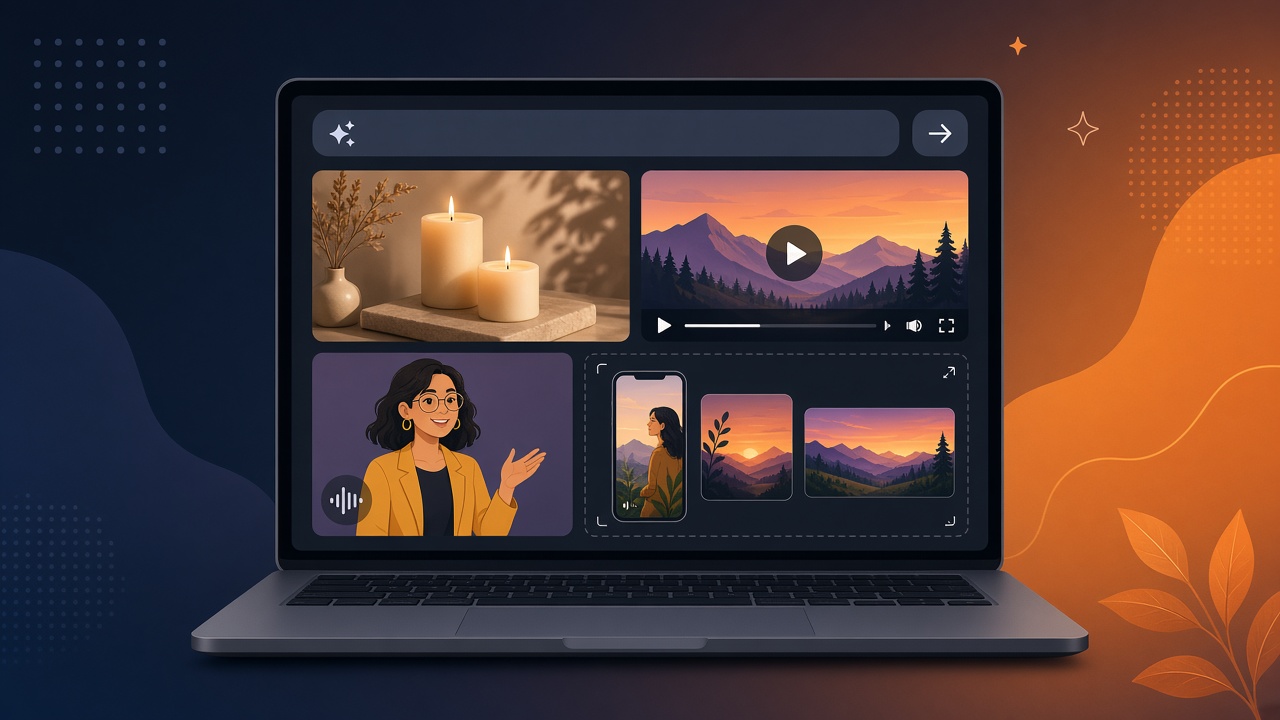
Most small businesses and creators end up paying for three or four AI tools: one for images, one for video, one for talking avatars and something else to resize everything for each social platform. That means several subscriptions, several logins and a lot of downloading and re-uploading files between apps.
An all-in-one AI image and video generator puts those jobs in one place. This guide explains what to look for, what a good all-in-one tool should handle, how the costs compare, and how to get started with Cyhornet Studio.
What is an all-in-one AI image and video generator?
It is a single app where you can create AI images, turn text or photos into short videos, make talking-avatar clips and prepare everything for social media, without switching tools. You describe what you want, the tool generates it, and you polish and export it from the same screen.
The main benefit is less friction. When the image you made this morning can become a video this afternoon and a vertical Reel a minute later, you publish more often and spend less time managing files.
What a good all-in-one tool should handle
- Images from a prompt. Product shots, ad graphics, social posts and backgrounds.
- Text to video and image to video. Short clips from a description, or from a photo you already have.
- Talking avatars. A presenter speaking your script, so you don’t have to film yourself.
- Social sizes. Vertical, square, landscape and portrait versions without starting over.
- Quick edits. Upscaling, restyling, background swaps and captions.
- A choice of AI models. Cheaper, faster models for drafts and premium ones for the final version.
- Clear pricing. You should see what a generation costs before you make it.
What Cyhornet Studio includes
Cyhornet Studio was built to cover all of the above in one studio:
- One prompt box. Type an idea or drop a file, and the studio works out whether you want an image, a video, an avatar or anime.
- Text and image to video. Make 5 or 10 second clips, or longer videos up to 60 seconds made from joined clips.
- Pick your model. Choose from Wan (fast and cheap), Seedance (sharp, best value), Hailuo (best for people), Kling (cinematic) and Google Veo (best quality). The price per second is shown before you generate.
- Avatar Studio. Pick a presenter or upload a photo you have the right to use, write a script, choose a voice and get a talking-avatar video.
- One-click social sizes. Export 9:16, 1:1, 16:9 and 4:5 versions of any image or video, from 1 credit per size.
- Quick tools. Upscale 2x, restyle with preset looks, swap the background and add text or captions to a video.
- 21 starter templates. Ads, social, anime, avatar, product and cinematic prompts that pre-fill the prompt box.
- Video to frames and text. Pull stills out of any clip, or get a transcript and caption.
- Private by default. Your files are only visible when you’re signed in.
How to make your first image and video in one session
- Create a free account at studio.cyhornet.ai. No card is needed to sign up, and the free plan includes 150 credits every month.
- Start from a template or a prompt. For example: “A bright flat-lay of handmade candles on a wooden table, soft morning light.”
- Generate the image. An image costs 2 credits, and the cost is shown before you press Generate.
- Turn it into a video. Use the image as the starting frame for a 5-second clip with gentle camera movement. A 5-second video costs from 20 credits depending on the model.
- Resize and caption. Export a 9:16 version for Reels, TikTok and Shorts and a 1:1 version for your feed, then add a caption.
If you want to go further, our guides on the AI photo to video generator for small business and making an AI talking avatar video for small business walk through those two jobs step by step.
All-in-one vs. separate tools: the cost question
Separate tools each tend to have their own monthly plan, and you often pay for capacity you don’t use in each one. With one credit balance, you spend credits on whatever you need that week, whether that is mostly images, mostly video or a mix.
Cyhornet Studio’s plans, at the time of writing:
- Free: $0, 150 credits a month, watermarked 480p previews, all generation modes.
- Standard: $12 a month for 1,500 credits, full-resolution downloads, no watermark and Avatar Studio.
- Pro: $29 a month for 4,500 credits, plus a priority queue.
- Unlimited: $79 a month with a fair-use cap of up to 12,000 credit-equivalents a month.
- Pay as you go: one-time credit packs from $3 that never expire.
If you only create content now and then, our guide to a pay-as-you-go AI video generator explains when credit packs make more sense than a subscription. Always check the current pricing before you buy.
Questions to ask before you choose any tool
- Can I try it without a card? A free tier lets you test quality before you commit.
- Is the cost shown before I generate? Surprise credit charges add up quickly with video.
- Which plan removes the watermark? Know where full-resolution, clean downloads start.
- Can I pick the AI model? Cheaper models for drafts save money for the final render.
- Does it resize for every platform? Re-cropping by hand for each feed wastes time.
A simple weekly content routine
On Monday, make three images for the week from one prompt idea. Turn the best one into a 5-second video, make a short avatar clip announcing your offer, and export vertical and square versions of each. That gives you a week of posts from one session in one tool.
If your team is starting to use AI for marketing, agree on a few ground rules first, such as only using photos you have permission to use. Our AI acceptable use policy template for small business is a good starting point.
Try the all-in-one studio free
Stop juggling separate apps. Start with Cyhornet Studio and create images, videos and talking avatars in one place with 150 free credits a month and no card required. Upgrade when you’re ready for full-resolution, watermark-free downloads.
Frequently asked questions
What is an all-in-one AI image and video generator?
It is one app that creates AI images, turns text or photos into videos, makes talking-avatar clips and resizes everything for social media, so you don’t need separate tools.
Is Cyhornet Studio free to try?
Yes. The free plan includes 150 credits every month with watermarked 480p previews, and no card is required to sign up.
How much does an image or video cost in Cyhornet Studio?
An image costs 2 credits, and a 5-second video costs from 20 credits depending on the AI model you choose. The cost is shown before you generate.
Which AI video models can I choose from?
Cyhornet Studio offers Wan, Seedance, Hailuo, Kling and Google Veo, from fast and cheap to premium quality.
Can I resize my images and videos for TikTok, Instagram and YouTube?
Yes. You can export 9:16, 1:1, 16:9 and 4:5 versions of any image or video, from 1 credit per size.
Do I have to subscribe?
No. You can buy one-time credit packs from $3 that never expire, or choose a monthly plan from $12.