AI Tool Approval Checklist: How to Vet ChatGPT and Other AI Apps Before Staff Use Them

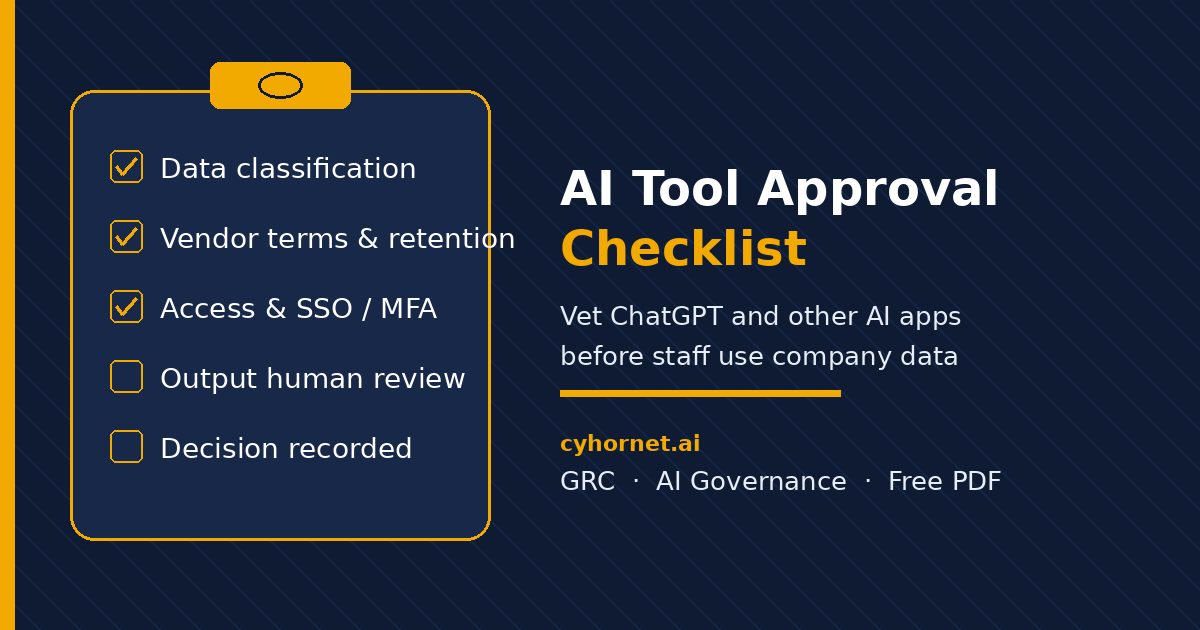
Someone on your team just asked to use ChatGPT, Copilot, or a new AI writing plugin with customer emails. Saying “sure, go ahead” is fast. Saying “no tools until we write a full policy” is slow. An AI tool approval checklist sits in the middle: a short, consistent screen before company data goes into any AI app.
This guide shows what to check, how to record the decision, and how to connect tool approvals to your broader AI governance. It also points to a free one-page PDF you can run in about ten minutes.
Why you need an AI tool approval checklist
Employees adopt AI faster than most policies can keep up. Without a shared screen, each manager invents their own rules. Some tools get a free pass. Others sit in limbo. Sensitive prompts, training-data clauses, and shadow SaaS slip through.
A checklist does not replace legal review or a full vendor assessment. It gives IT, security, and founders the same questions every time: what data goes in, what the vendor does with it, who can access the account, how outputs are reviewed, and when you will re-check the decision.
What to put on an AI tool approval checklist
Cover five areas in plain language:
- Data: Which data classes may be pasted or uploaded (public, internal, confidential, personal)? Is customer or regulated data off-limits?
- Vendor: Does the provider train on your prompts? Where is data stored? What is the retention period? Is there a business or enterprise plan with stronger terms?
- Access: Who owns the account? Is SSO or MFA available? Are personal free accounts banned for work use?
- Output review: Must a human check AI output before it reaches a customer, regulator, or contract? Are there disclosure rules?
- Decision: Approve, approve with limits, or reject? Who decided, on what date, and when is the next re-review?
Start with the free AI Tool Approval Quick Checklist (PDF). It is a one-page, tick-box screen for any new AI tool: data, vendor, access, output, and decision prompts, plus space to record the call and set a re-review date. Free instant download. General information only, not legal advice.
How to run the checklist in ten minutes
- Name the tool, the requester, and the business use case in one sentence.
- Walk the data questions. If confidential or personal data would go in, pause until terms and controls are clear.
- Skim the vendor privacy policy and terms for training, retention, and subprocessors. Prefer a paid business tier when work data is involved.
- Confirm account ownership, MFA or SSO, and whether personal free accounts are allowed.
- Set output rules: human review for customer-facing or high-risk use, and any disclosure language.
- Mark Approve, Approve with limits, or Reject. Write the owner, date, and next re-review (for example 90 days).
Keep finished checklists in one shared folder or ticket so auditors and new managers can see what was already decided.
Connect tool approvals to the rest of AI governance
A checklist is one control in a small program. Pair it with:
- An AI acceptable use policy that states approved and prohibited uses for the whole company.
- An AI vendor risk assessment questionnaire when a tool will hold sensitive data or integrate with core systems.
- An AI risk register so approved tools and residual risks stay visible to leadership.
- The free Employee AI Use Acknowledgement Form so staff confirm they read the rules.
- The free AI Governance 30-Day Starter Checklist if you are standing up the program from scratch.
When to move from a free checklist to a full policy pack
Once several tools are in use, or a customer asks “what is your AI policy?”, upgrade from a one-page screen to a coherent pack. The AI Policy Starter Pack (Starter) ($59) includes a NIST-aligned AI Acceptable Use Policy, an Approved AI Tools List workbook, an employee acknowledgement form, a one-page staff quick guide, and a start-here customization guide. Templates and guidance only; have counsel review before you adopt.
Browse more GRC and AI governance templates in the cyhornet.ai marketplace.
Download the free checklist and screen your next AI tool
Get the free AI Tool Approval Quick Checklist and run it on the next ChatGPT, Copilot, or AI plugin request this week. Record Approve, Approve with limits, or Reject, then set a re-review date. When you need a full policy and approved-tools list, move up to the AI Policy Starter Pack.
General information only, not legal advice. Checklists and templates do not guarantee compliance with any law or standard, and they do not replace counsel or a formal vendor assessment.
Frequently asked questions
What is an AI tool approval checklist?
It is a short, consistent set of questions you run before staff use a new AI app with company data, covering data, vendor terms, access, output review, and the approval decision.
How long does an AI tool approval checklist take?
For a typical consumer or small-business AI app, a one-page checklist can be completed in about ten minutes. Tools that handle sensitive data or deep integrations need a fuller vendor review.
Is an AI tool approval checklist the same as an AI policy?
No. The checklist screens one tool at a time. An AI acceptable use policy sets company-wide rules for approved uses, prohibited uses, and human review.
Should we ban personal ChatGPT accounts for work?
Many teams require a company-owned or business-tier account with MFA for any work data, and ban pasting confidential information into personal free accounts. Put that rule on your checklist and in your policy.
Does the free AI Tool Approval Quick Checklist certify compliance?
No. The free PDF is a practical self-screen only. It does not provide legal advice, certification, or a substitute for counsel or a formal risk assessment.