AI Vendor Risk Assessment Questionnaire Template: What to Ask Before You Buy an AI Tool

Almost every software vendor now says its product is “powered by AI.” That sounds helpful until someone on your team connects a new AI tool to your shared drive, your CRM or your customer inbox, and nobody can say where that data goes next. An AI vendor risk assessment questionnaire gives you a consistent way to ask the right questions before you buy, compare vendors fairly and keep a record of why you said yes or no.
This guide explains what an AI vendor questionnaire should cover, how to score the answers, which red flags should stop a deal, and how to run the whole review in an afternoon with a ready-made template.
What is an AI vendor risk assessment questionnaire?
It is a structured set of questions you send to a vendor before their AI product touches your company or customer data. A normal security questionnaire asks about passwords, encryption and backups. An AI questionnaire adds the questions that are specific to AI: whether the vendor trains models on your data, which outside model providers it relies on, how it tests outputs for errors and bias, and what an AI agent is allowed to do inside your systems.
The answers, plus the evidence the vendor sends back, let you decide whether to approve the tool, approve it with conditions, or walk away.
Why small and mid-size teams need one now
- Customers are asking. Security questionnaires from larger customers increasingly ask how you vet the AI tools you use. A completed assessment on file is a ready answer.
- AI features appear without warning. Software you already pay for can switch on AI features in an update. A short review keeps those changes from slipping past you.
- Data leaks are hard to undo. Once customer data has been used to train someone else’s model, you can’t pull it back. Asking first is far cheaper than cleaning up later.
- Gut feel doesn’t scale. When three people approve tools three different ways, you end up with gaps. One questionnaire and one scoring method keep decisions consistent.
What your AI vendor questionnaire should cover
A useful questionnaire groups its questions into a few areas so you can see where a vendor is strong and where it is weak:
- Data use and training: Does the vendor use your inputs or outputs to train its models? Can you opt out, and is that in the contract?
- Data handling, retention and deletion: Where is data stored, how long is it kept, and how do you get it deleted?
- Security and independent assurance: Does the vendor have a SOC 2 report, ISO 27001 certificate or a recent penetration test it will share?
- Subprocessors and model providers: Which outside AI models and cloud services sit behind the product, and will the vendor tell you when they change?
- Access and permissions: What can the tool read and change in your systems? Does retrieval respect the permissions your users already have?
- Privacy and compliance fit: Will the vendor sign a data processing agreement, and does its setup fit the rules you work under?
- Output quality and testing: How does the vendor test for hallucinations, bias and harmful outputs?
- Incident response and exit: How fast will they tell you about a breach, and can you export your data if you leave?
How to score the answers
Questions only help if you turn the answers into a decision. A simple, defensible approach has three parts:
- Tier the vendor first. A tool that only drafts marketing copy from public information is lower risk than one that reads customer records. Higher tiers get the full questionnaire and more evidence; lower tiers can get a shorter review.
- Weight the questions. Data use and security deserve more weight than nice-to-have features. Score each answer and add up a total per area.
- Use red flags that override the score. Some answers should stop or escalate a deal no matter how good the total looks, for example a vendor that trains on your data with no opt-out, or one that won’t share any independent security evidence.
Finish by recording the decision, any conditions you negotiated, and a date to review the vendor again. That record is what auditors and customers actually want to see.
Red flags to watch for
- The vendor can’t or won’t say whether your data trains its models.
- No SOC 2 report, ISO certificate, pen test summary or any other independent evidence.
- Vague answers about which model providers or subprocessors are involved.
- The tool asks for broad admin access when it only needs to read a few folders.
- No clear way to delete your data or export it when the contract ends.
Run your review in an afternoon with a ready-made template
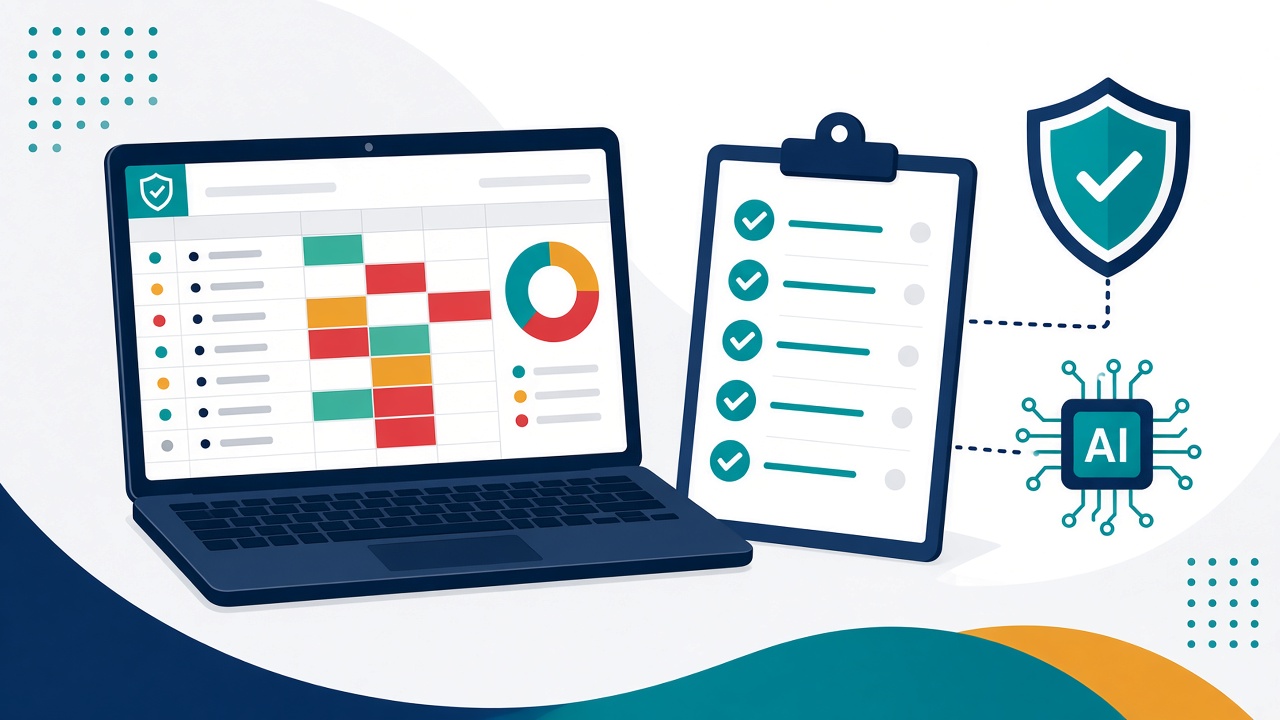
You don’t need to write 60 questions from scratch. The AI Vendor Assessment Kit gives you an Excel workbook with vendor intake and automatic Tier 1/2/3 rating, a 60-question weighted questionnaire covering security, privacy, model risk, data use, IP and compliance, 12 red-flag questions that escalate a vendor regardless of score, a decision log with reassessment dates and a dashboard. It also includes the same 60 questions as a Word document you can send straight to the vendor, a 4-page PDF scoring guide, and a filled-in sample with three fictional vendors so you can see approve, escalate and do-not-approve outcomes.
If you need something lighter for smaller purchases, the AI Vendor Due-Diligence Checklist is a 2-page PDF with the 10 questions to ask before you buy, “what to look for” guidance, evidence boxes and a simple proceed, pilot or pause scoring guide.
Free tools to get started today
- Free AI Tool Approval Quick Checklist: a one-page screen you can run on a new AI tool in about 10 minutes.
- Free Vendor Inventory and Review Tracker: an Excel register with risk tiers, an AI-use flag and automatic next-review dates for up to 200 vendors.
Vendor reviews work best alongside a clear internal policy, so pair this with our guide to an AI acceptable use policy template for small business. If you sell to the US Department of Defense, our CMMC Level 1 self-assessment template guide covers the basics there.
A simple process you can repeat
- Screen every new AI tool with the quick checklist.
- If it will touch company or customer data, tier it and send the full questionnaire.
- Score the answers, check the red flags and ask for missing evidence.
- Record the decision, any contract conditions and a re-review date.
- Add the vendor to your inventory so nothing gets forgotten.
Start your first AI vendor review
Pick the AI tool your team most wants to use next and review it this week. Get the AI Vendor Assessment Kit for the full questionnaire and scoring workbook, or start with the free quick checklist. Browse more ready-to-use GRC and AI-governance templates in the cyhornet.ai marketplace.
General information only, not legal advice. Templates do not guarantee compliance with any law or standard.
Frequently asked questions
What is an AI vendor risk assessment questionnaire?
It is a structured list of questions you send to a vendor before its AI product touches your company or customer data. It covers data use and model training, security evidence, subprocessors and model providers, access permissions, output testing and incident response.
How many questions should an AI vendor questionnaire have?
It depends on the risk. A low-risk tool can be screened with about 10 questions, while a tool that handles customer data deserves a fuller review. The AI Vendor Assessment Kit uses 60 weighted questions plus 12 red-flag questions.
What is the biggest red flag in an AI vendor assessment?
A vendor that uses your data to train its models with no opt-out, or one that won’t share any independent security evidence, should be escalated or declined regardless of its overall score.
Is there a free AI vendor assessment template?
Yes. The free AI Tool Approval Quick Checklist lets you screen a new AI tool in about 10 minutes, and the free Vendor Inventory and Review Tracker helps you track vendors and review dates.
What file formats does the AI Vendor Assessment Kit include?
It includes an Excel workbook, a Word vendor questionnaire, a PDF scoring guide, a sample completed workbook, a sample assessment report and a README, delivered in one ZIP file.