
Security Incident Response Checklist for Small Business: What to Do in the First 24 Hours

A phishing email gets clicked. A laptop goes missing. A customer says they received a strange invoice from your email address. For most small businesses, the first hour after something looks wrong is chaotic, and that is when the costly mistakes happen: wiping the evidence, telling the wrong people too early, or forgetting to tell the right people at all.
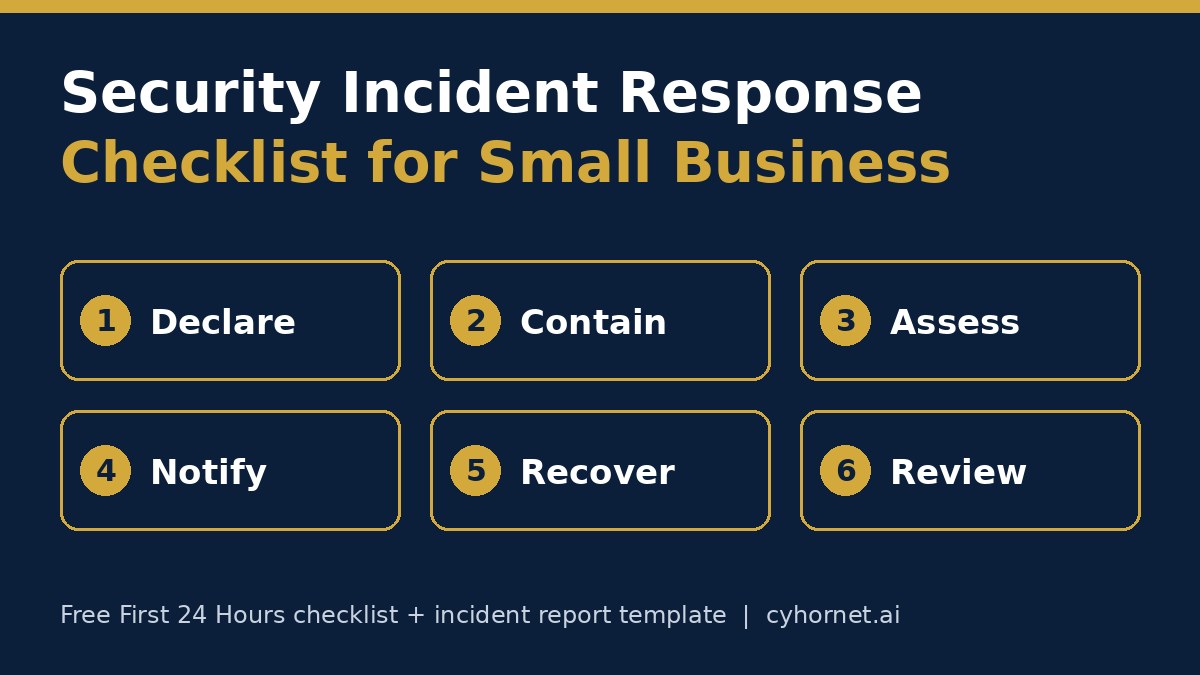
A short security incident response checklist fixes that. This guide gives you a plain-English checklist for small businesses, organized in six stages, plus a free First 24 Hours checklist (PDF) and a free incident report template (Word) you can download today.
Why a small business needs an incident response checklist
- Stress makes people skip steps. A written order of operations means nobody has to remember it under pressure.
- Customers and partners ask for it. Security questionnaires and contracts often ask whether you have an incident response process.
- Notification duties can have deadlines. Depending on your state, industry and contracts, you may need to notify customers, regulators or your insurer within a set time.
- Cyber insurance claims need records. A clear timeline of what happened and what you did makes the conversation with your insurer easier.
- Audits look for it. Frameworks like SOC 2 expect a documented incident process. Our SOC 2 readiness checklist covers where it fits.
The security incident response checklist for small business
Use these six stages in order. Each one is short on purpose, so a two-person team can follow it.
1. Declare the incident
- Decide who can call an incident. In a small business this is usually the owner plus one backup.
- Write down the time, who noticed it, and what they saw. Start the record now, not later.
- Pick one person to lead and one channel to talk in. Avoid using an email account you think may be compromised.
- Call your cyber insurer’s hotline early if you have a policy. Many policies expect to be told before you hire outside help.
2. Contain it without destroying evidence
- Disconnect an affected computer from the network instead of turning it off or wiping it.
- Reset passwords for the affected accounts from a clean device, and sign out all active sessions.
- Turn on multi-factor authentication anywhere it was missing.
- Disable accounts of anyone who should no longer have access.
- Take screenshots and save emails, logs and alerts before you delete anything.
3. Assess the impact
- Which systems, accounts and devices were involved?
- What data could have been seen or taken: customer records, payment details, health information, employee files?
- Is it still happening, or is it contained?
- Which vendors or tools are involved? A current vendor list helps here. Our free vendor inventory and review tracker is a simple place to keep one.
4. Handle notification duties
- List who may need to know: your insurer, your bank or payment processor, affected customers, business partners under contract, and regulators.
- Check your contracts and your state’s breach notification rules for deadlines. Health and financial data often carry extra rules; therapists can see our HIPAA compliance checklist.
- Get legal advice before sending notifications when personal data may be involved.
- Record every notification: who, when, how and what you said.
5. Recover
- Restore from a known-good backup and confirm it works before going back to normal.
- Patch the weakness that let it happen, such as a missing update, a reused password or an open sharing link.
- Watch the affected accounts closely for the next few weeks.
- Tell your team what changed and why.
6. Close the loop
- Hold a short, blameless review: what happened, what worked, what was slow.
- Fill in an incident report while details are fresh. The free incident report template has sections for the summary, timeline, impact, root cause, containment, notifications and corrective actions.
- Turn lessons into a few concrete actions with owners and dates.
- Update the checklist itself so the next incident goes faster.
Common small-business incidents and the first move
- Phishing click or stolen password: reset the password from another device, sign out all sessions, turn on multi-factor authentication and check the mailbox for new forwarding rules.
- Lost or stolen laptop or phone: use your device management or account tools to lock or wipe it remotely, and list what data was on it.
- Ransomware message on screen: disconnect the machine from the network, don’t turn it off, and call your insurer or an incident response firm.
- Fake invoice sent from your email: treat the account as compromised, warn the customers who received it, and check payment details before anyone pays.
- A former employee still has access: remove it now and review what they touched. The free employee offboarding access removal checklist helps prevent this one.
- Sensitive data pasted into an AI tool: record what was shared and where, check the tool’s data settings, and set rules going forward with an AI acceptable use policy.
Prepare before anything happens
Ten minutes of preparation makes every stage above easier:
- Print the checklist and keep a copy offline, since your systems may not be available during an incident.
- Write down key phone numbers: your insurer, bank, IT provider and a lawyer.
- Keep an up-to-date list of your systems, vendors and who has admin access.
- Check that backups run and that you have restored from one at least once.
- Walk through one practice scenario a year, such as a stolen password, with everyone who would be involved.
- If you use AI or software vendors that hold customer data, ask them how they handle incidents. Our AI vendor risk assessment questionnaire includes questions to ask.
Download the free checklist and report template
Cyhornet offers two free resources built for small teams without a dedicated security department:
- Free Security Incident First 24 Hours Checklist (PDF): two pages, six stages with specific actions, reminders on evidence preservation and notification deadlines, and a blameless review step.
- Free Security Incident Report Template (Editable Word): six structured sections with notification tracking for legal, customers, regulators and insurers.
Both are instant downloads. Want help writing your incident response plan, policies or the evidence a customer or auditor is asking for? A GRC 10-hour block gives you ten prepaid analyst hours for policies, risk registers, vendor questionnaires and SOC 2 readiness support, with a weekly progress summary.
General information only, not legal advice. These resources do not guarantee compliance with any law or standard.
Frequently asked questions
What is a security incident response checklist?
It is a short, ordered list of steps to follow when something goes wrong, such as a phishing click, a lost laptop or a ransomware message, so your team contains the problem, keeps evidence and handles notifications without missing steps.
Does a small business really need an incident response plan?
Yes. Customers, partners, cyber insurers and frameworks like SOC 2 often expect one, and a simple written checklist helps a small team act quickly under stress.
What should I do first after a security incident?
Declare the incident, start a written record of what you saw and when, pick one person to lead, and contain the problem without wiping devices or deleting evidence.
Should I turn off a computer that has been hacked?
Usually it is better to disconnect it from the network rather than power it off, so evidence is preserved. Follow your insurer’s or incident response provider’s advice.
Is the Cyhornet incident response checklist free?
Yes. The Security Incident First 24 Hours Checklist (PDF) and the Security Incident Report Template (Word) are both free instant downloads on cyhornet.ai.
Is this checklist legal advice?
No. It is general information. Check your contracts and the laws that apply to you, and get legal advice before notifying anyone about a breach involving personal data.